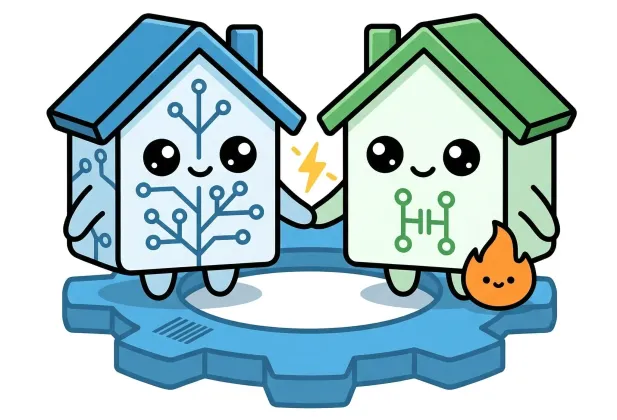
If you've been researching smart home platforms, you've probably come across two names more than any others: Apple Home (formerly Apple HomeKit) and Home Assistant. Both can control your lights, thermostat, locks, and sensors — but they take very different approaches to doing it. This guide breaks down exactly what each platform offers so you can make the right choice for your home.
What Are Apple Home and Home Assistant?
Apple Home
Apple Home is Apple's built-in smart home platform, available on iPhone, iPad, Mac, Apple TV, and HomePod. It lets you control certified smart home devices using the Home app or Siri voice commands. Since iOS 16.2, Apple Home runs on the Matter standard, making it compatible with a growing range of devices from any brand that supports Matter.
Home Assistant
Home Assistant is a free, open-source home automation platform that you run yourself — typically on a Raspberry Pi, a small PC, or a NAS device. It supports over 3,000 integrations, meaning it can talk to almost anything: Zigbee sensors, Z-Wave locks, cloud services, local APIs, and yes, Apple HomeKit devices too. It is enormously powerful but requires more hands-on setup.
Ease of Use
This is where the platforms diverge most sharply. Apple Home is genuinely plug-and-play: scan a QR code, the device joins your home, done. The interface is polished and consistent across all Apple devices. Automations are simple to set up through the Home app, covering common scenarios like "turn on the porch light at sunset."
Home Assistant has a steeper learning curve. Initial setup involves installing the software, connecting your devices, and learning the platform's YAML-based configuration language for more complex automations. The reward is total flexibility — but expect to invest a few weekends at the start.
Quick take: If you want something running in under an hour with zero technical knowledge, Apple Home wins. If you enjoy tinkering and want unlimited control, the Home Assistant learning curve pays off quickly.
Device Compatibility
Apple Home requires devices to carry HomeKit or Matter certification. This covers most popular brands — Philips Hue, Eve, Nanoleaf, Ecobee, and many others — but leaves out a huge number of budget or niche devices that simply don't have the certification.
Home Assistant can integrate with virtually anything. It supports:
- All HomeKit and Matter devices (via the HomeKit Controller integration)
- Zigbee and Z-Wave devices through a USB coordinator
- Cloud-based services (Google, Amazon, IKEA, Tuya, TP-Link, and hundreds more)
- Local-only devices that never touch the cloud
- Custom integrations from a large community
If you have a mix of brands or older devices, Home Assistant is almost always the more compatible choice.
Automation Power
Apple Home automations work well for everyday tasks: time-based triggers, presence detection when you arrive home, and scenes that adjust multiple devices at once. What you can't easily do is build complex multi-step logic, use sensor data in calculations, or create automations that respond to external data like weather APIs or energy prices.
Home Assistant's automation engine is in a different league. You can:
- Chain any number of conditions and actions
- Use templates to do maths on sensor values
- Trigger on calendar events, RSS feeds, or webhook calls
- Run scripts that wait, loop, or branch based on outcomes
- Integrate with voice assistants including Siri (via the HomeKit bridge integration)
For example, you can tell Home Assistant: "If the outdoor temperature drops below 5 °C and it's after 10 pm and nobody is home, send me a notification and turn the heating to frost protection mode." That kind of nuanced rule is far beyond what Apple Home supports natively.
Privacy and Local Control
Apple Home stores your home data on-device and syncs it through iCloud end-to-end encrypted. There are no Smallizmo servers handling your home data, and Apple doesn't use it for advertising. It's a strong privacy posture, though it does require iCloud for remote access and sharing.
Home Assistant can operate entirely on your local network with no cloud whatsoever. Your automations run on hardware you own, and you control what — if anything — leaves your home. This is the gold standard for privacy-conscious users and also means your automations keep working during an internet outage or a cloud service shutdown.
Note: Home Assistant also supports Nabu Casa — an optional cloud subscription that adds easy remote access and voice assistant integrations — but it's never required.
Using Siri with Home Assistant
One of the most common questions is: can I use Siri to control Home Assistant? The answer is yes. Home Assistant includes a HomeKit Bridge integration that exposes your Home Assistant devices and scenes to Apple Home. Once set up, they appear natively in the Home app and respond to Siri commands just like any other HomeKit device.
This means you don't have to choose between the two. Many users run Home Assistant as the powerful automation engine behind the scenes, while using Apple Home and Siri as the friendly front-end for day-to-day voice control.
Side-by-Side Comparison
| Feature | Apple Home | Home Assistant |
|---|---|---|
| Setup difficulty | Very easy | Moderate–Advanced |
| Device compatibility | HomeKit & Matter certified | 3,000+ integrations |
| Automation power | Basic–intermediate | Advanced / unlimited |
| Siri voice control | Native | Via HomeKit Bridge |
| Local-only operation | Partial (iCloud for remote) | Full local control |
| Privacy | Strong (end-to-end encrypted) | Strongest (self-hosted) |
| Cost | Free (included with Apple devices) | Free + hardware (~£35–£100) |
| Active community | Apple forums | Very large open-source community |
Which Platform Should You Choose?
Choose Apple Home if…
You want a polished, low-effort experience using devices you already have, and you're happy with the Apple ecosystem. It's ideal for households that don't want to manage a server and just want reliable, attractive automation that works with Siri.
Choose Home Assistant if…
You have a mix of devices from different brands, you want complex automations, or you care deeply about keeping your data off the cloud. It's also the right choice if you want to integrate Apple Home into a broader, more powerful smart home setup — Home Assistant happily bridges both worlds.
Conclusion
Apple Home and Home Assistant are not really rivals — they're tools for different kinds of smart home owner. Apple Home excels at simplicity and fits seamlessly into the Apple experience. Home Assistant excels at power, compatibility, and total control. And crucially, they work well together: Home Assistant's HomeKit integration means you can use Siri and the Home app as the voice interface for a Home Assistant-powered smart home.
If you're just starting out and are deep in the Apple ecosystem, begin with Apple Home. As your ambitions grow — and they usually do — Home Assistant will be waiting with open arms.