Once you've set up an automation to turn lights on and off, you'll find that sometimes that's not what you want. You may prefer to have the lights simply stay on. Here is an easy way to do that without interacting with the dashboard or using voice prompts.
The Goal
When someone turns the light on using the switch, we want to disable the automatic lights. When they turn the lights off, we re-enable the automatic lights. This makes for an intuitive solution, as most people will instinctively use light switches.
Step 1
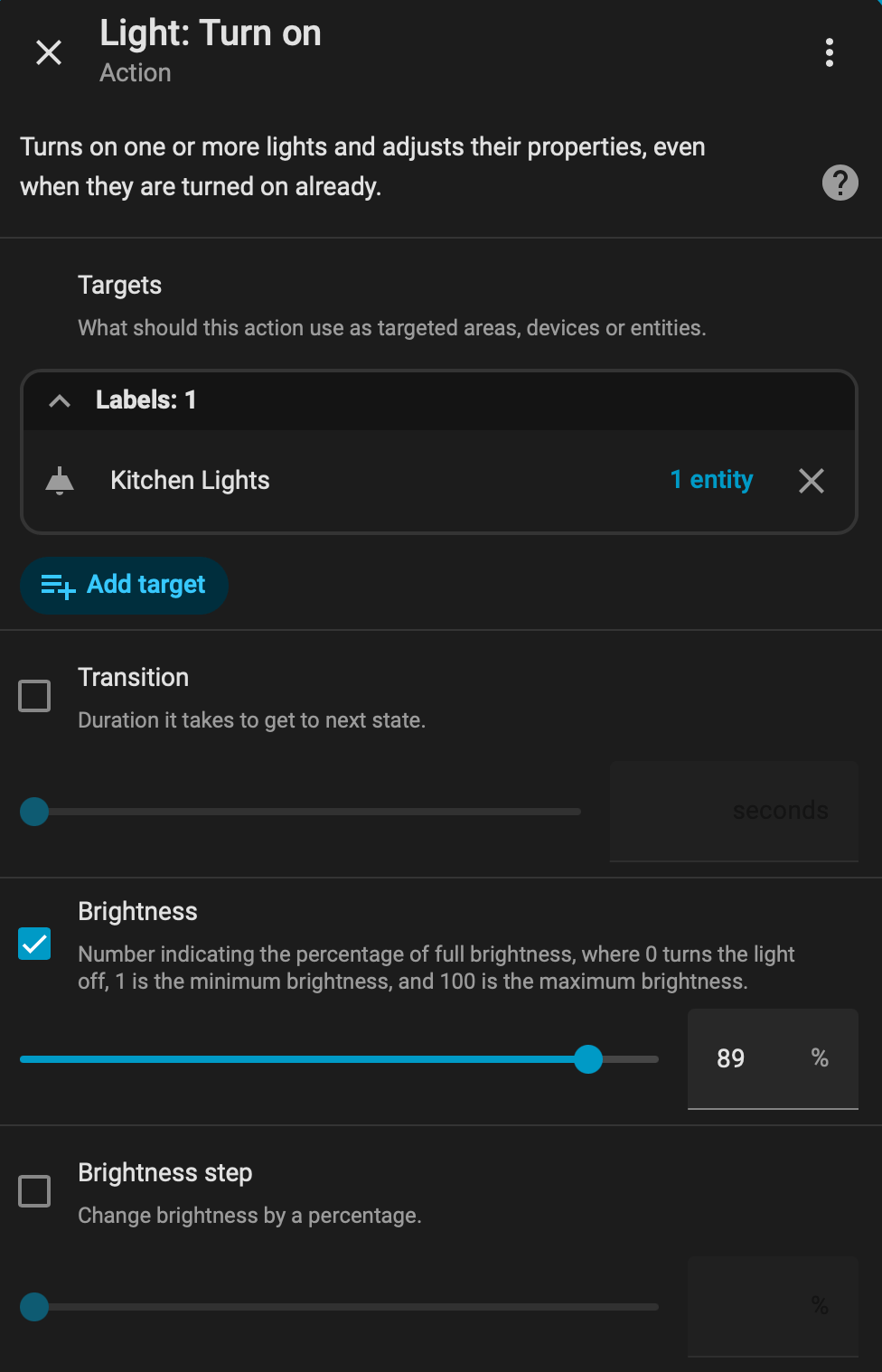
In the automation that turns on the lights, change the brightness to a value less than 100%. 99% will work.
Step 2
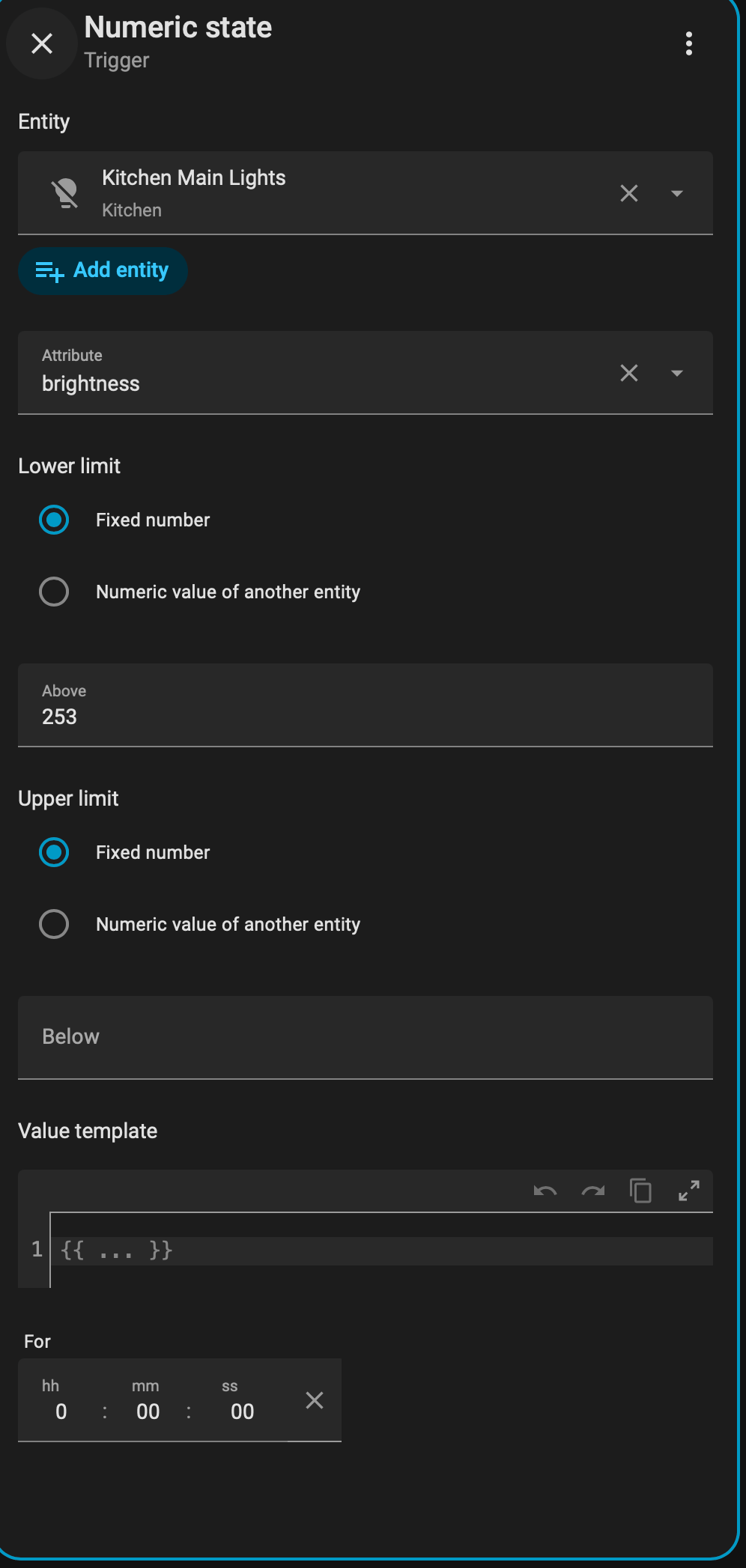
Create a new automation. This automation is triggered by the same light being above a certain brightness. Adjust the brightness on your switch to a value above what you previously set as a threshold. For simplicity, I would start with 100%.
Step 3
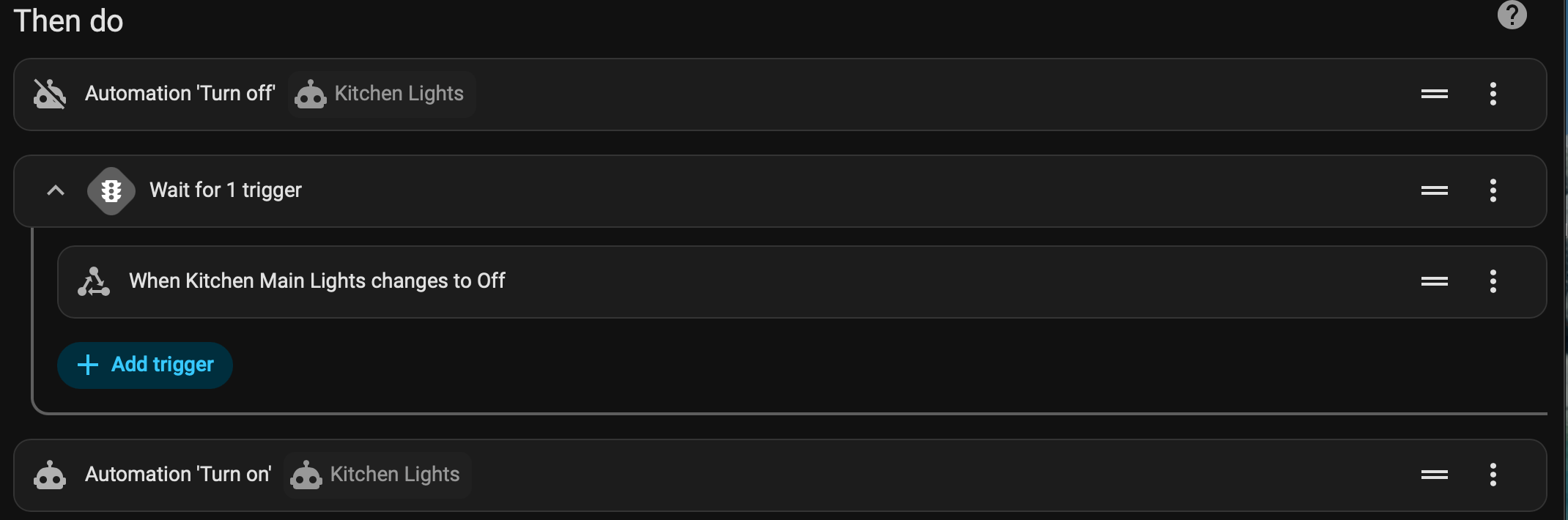
For the "Then Do" section, we want to turn off our automatic lights automation. Then we wait for a trigger. The trigger will be the lights turning off. Lastly, we turn on the automatic lights automation.